Shared to-do list: how to set one up that people actually use
 Sérgio VidalCreator of Todonex
Published on 6 min read
Sérgio VidalCreator of Todonex
Published on 6 min read
In this article
A shared to-do list is one list that several people can see and change, with every update showing up for everyone right away. To set one up, pick an app that syncs in real time, create one list for each shared goal (groceries, chores, a trip), invite the people involved and agree on a few simple rules. Below: why it helps more than it seems, a 6-step method and how to do it in Todonex.
What is a shared to-do list?
It's a list that lives in one place instead of in one person's head. Everyone with access sees the same tasks, adds what's missing and checks off what's done. If your partner buys the bread at 8 a.m., the bread is crossed off on your phone before you leave work.
Compare that with the usual alternatives: a paper list on the fridge that nobody takes to the store, a group chat where “we need eggs” gets buried under twenty other messages, or a screenshot of a list that was already out of date when it was sent. A shared list replaces all of them with one version that's always current.
Why share a list: the work nobody sees
Running a home, a trip or a small project has two parts. There's the doing: shopping, cleaning, booking. And there's the thinking: noticing that the milk is running low, remembering the car inspection, checking whether someone already called the plumber.
Sociologist Allison Daminger interviewed 35 couples and described that second part as cognitive labor: anticipating needs, identifying options, making decisions and monitoring progress. She found it's mentally demanding, easy to overlook, both by the person doing it and by their partner, and often a source of conflict. In her study, women did more of it overall, especially the anticipating and the monitoring (Daminger, 2019).
It matters to people, too. In a Pew Research Center report, 56% of married adults in the U.S. said sharing household chores is “very important” to a successful marriage, ahead of having children or an adequate income (Pew Research Center, 2016).
A shared list doesn't do the chores for anyone. What it does is take the anticipating and the monitoring out of one person's head and put them where everyone can see them. Anyone can add “Buy dish soap” the moment they notice it, and nobody has to ask “Did you do it?” because the answer is right there.
Lists that are worth sharing
- Groceries. The classic. Whoever notices something is missing adds it, and whoever is at the store sees the list as it is right now.
- Household chores. Laundry, bills, the leaky faucet. Seeing everything in one place makes it easier to split the work fairly.
- Trips and events. A birthday party, a weekend away, a barbecue with friends: everyone sees what's still open and nobody brings the third bag of ice.
- Caring for someone. Siblings helping an older parent can keep track of appointments, prescriptions to refill and who is doing what.
- Small projects at work. A short list of next steps for a launch or an event, shared with the two or three people involved.
How to set up a shared list people actually use
- Make one list per purpose. “Groceries”, “House”, “Lake trip”. A single list called “Stuff” becomes noise fast, and people stop opening it.
- Invite only the people involved. A grocery list for the two people who shop. A trip list for everyone going. Fewer people per list means less clutter.
- Decide who edits and who just looks. Most people should be able to add and check off tasks. Someone who only needs to follow along, like a client or a relative, can have view-only access.
- Write tasks as actions. “Call the plumber about the kitchen sink” works better than “Plumbing”. If a task belongs to someone, start it with their name: “Sam: renew the passport”.
- Check off right away. The list is only useful if it's current. The moment something is done, check it off, so nobody does it twice.
- Review it once a week. Five minutes on Sunday: clear what's done, delete what no longer matters and add what's coming.
How to share a list in Todonex
In Todonex, sharing is a Premium feature for whoever shares the list. The people who receive it don't pay anything: they only need a free Todonex account.
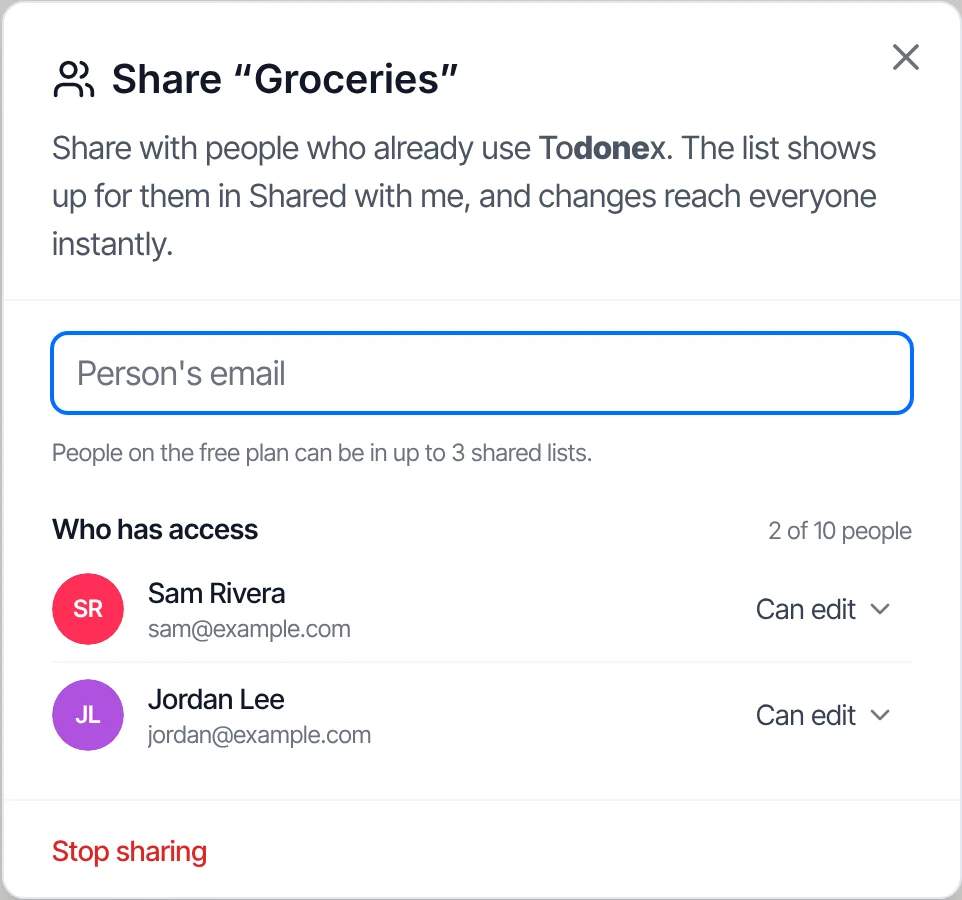
On the computer
- Open the list and click Share, at the top, next to the search button.
- Type the email of the person's Todonex account. When it shows up as “Has a Todonex account”, select it and choose Can edit (adds, edits, completes and deletes tasks) or View only.
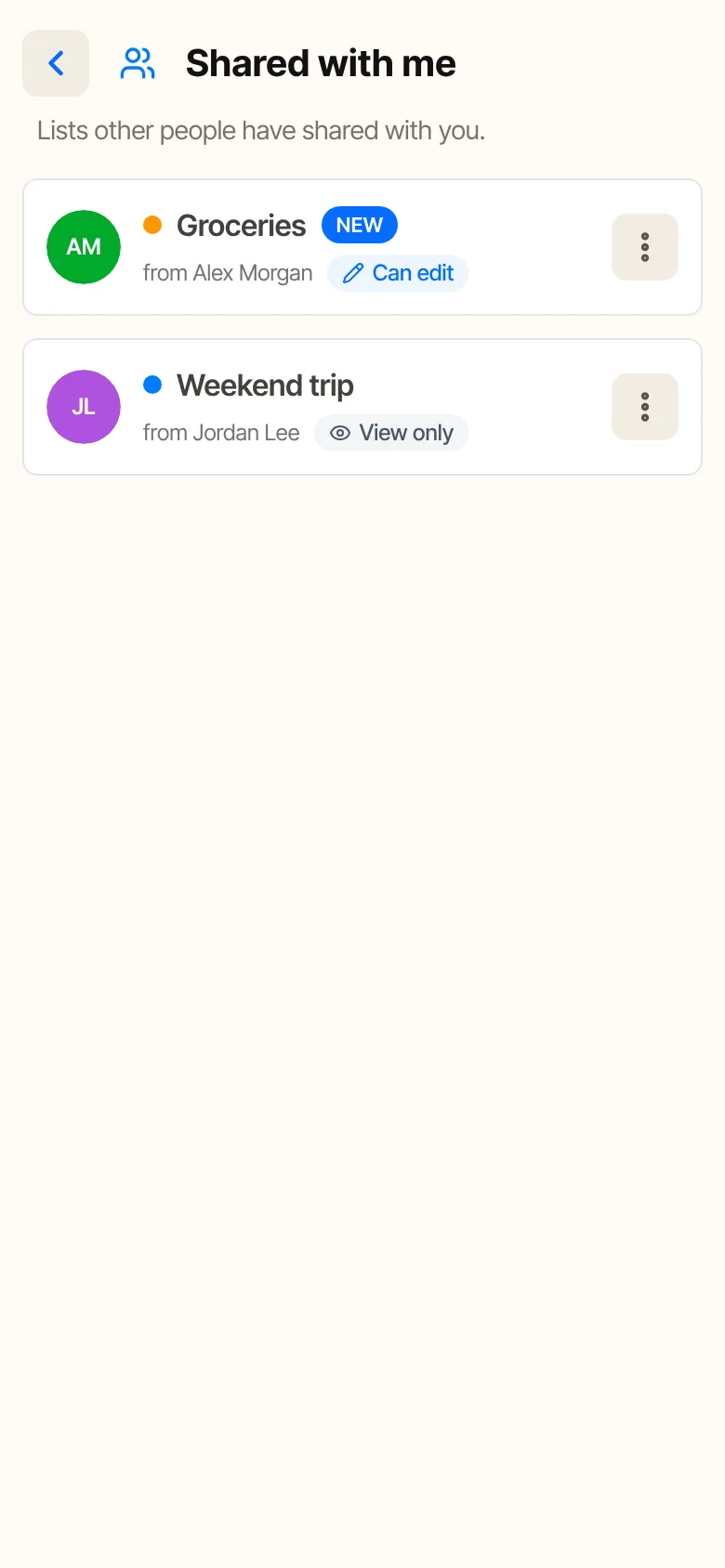
- Click Share. The list shows up for them right away in Shared with me.
If the person doesn't have an account yet, Todonex offers a ready-made invite you can copy and paste into a chat. Creating the account is free.
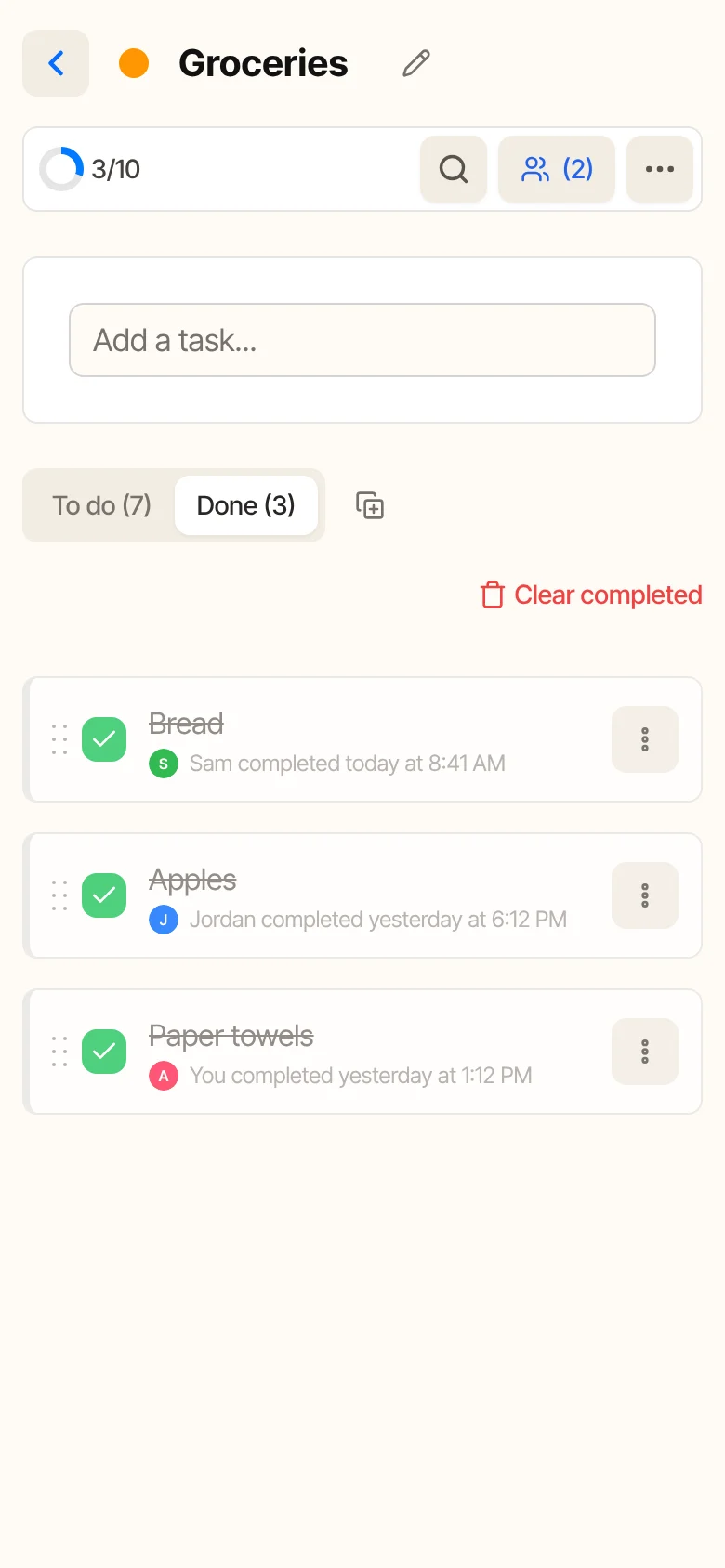
From then on, every change reaches everyone instantly. In the Done tab, each task shows who completed it and when.
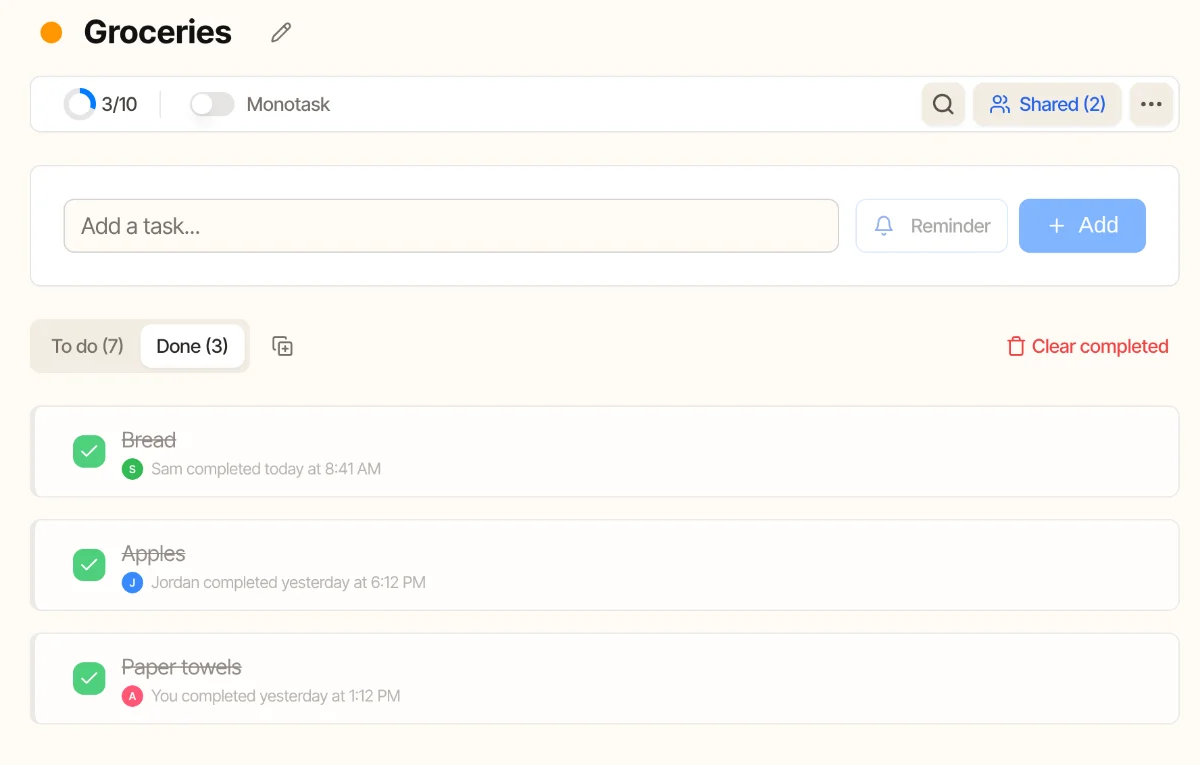
On the phone
The button with the people icon at the top of the list does the same thing, and the number next to it shows how many people the list is shared with. Whoever receives a list finds it under Shared with me.
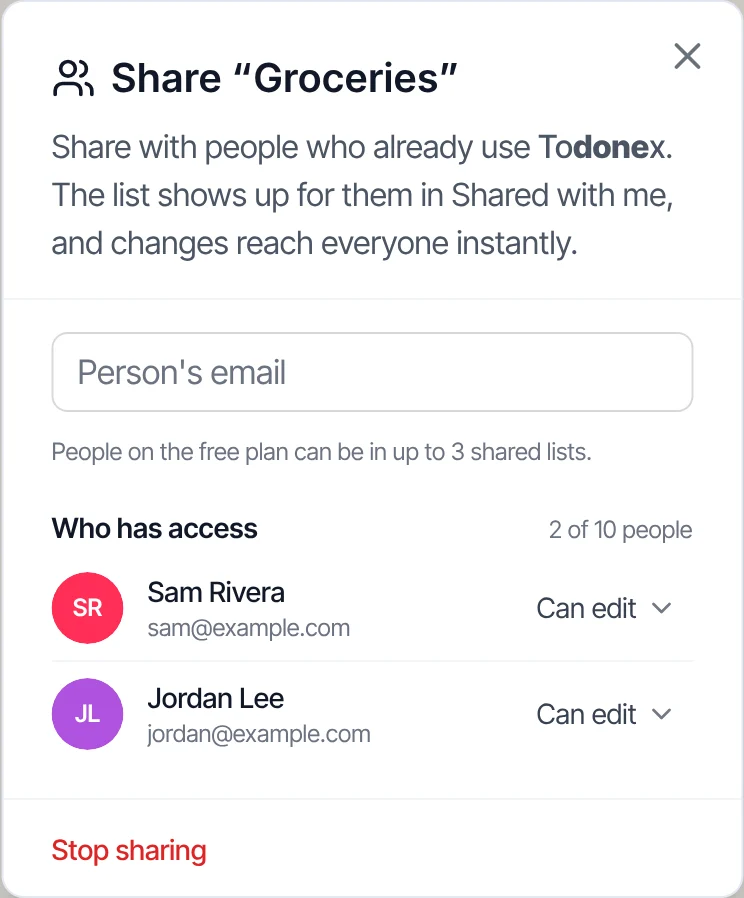
- Each list can be shared with up to 10 people besides you.
- On the free plan, the person receiving can be in up to 3 shared lists at a time.
- While someone is editing a task, the others see who is editing it, so two people don't overwrite each other.
- Changed your mind? Change someone's permission, remove one person or stop sharing the whole list at any time.
Tips to keep it working
- Agree on the rules out loud. One quick conversation (“whoever finishes, checks it off”) prevents most of the friction.
- Don't turn it into a scoreboard. Seeing who completed what is there to avoid duplicates, not to keep score.
- Keep personal stuff in personal lists. Share the groceries, not your whole life. A focused shared list is easier to keep up to date.
- One task at a time still applies. A long shared list can feel overwhelming too. Pick the next thing and do it, like in our guide to monotasking.
Frequently asked questions
Do the people I share a list with need to pay?
No. Only the person sharing needs Premium. Whoever receives the list can stay on the free plan and be in up to 3 shared lists at a time.
Can I share a list with someone who doesn't use Todonex?
They need a Todonex account, which is free. If the email you type isn't linked to an account, Todonex gives you an invite to send them.
Can I choose who can change the list?
Yes. Each person gets either Can edit or View only, and you can change it whenever you want.
What happens to shared lists if I cancel Premium?
The list stays yours, but sharing is paused: the other people lose access until you reactivate Premium, and then it comes back.
Sources
- Daminger, A. (2019). The Cognitive Dimension of Household Labor. American Sociological Review, 84(4), 609-633.
- Pew Research Center (2016). Sharing chores a key to good marriage, say majority of married adults.
Your next task is waiting.
Create your free Todonex account, write down what's on your mind and get it done, one task at a time. No credit card.
Start free