Monotasking: how to focus on one task at a time
 Sérgio VidalCreator of Todonex
Published on 6 min read
Sérgio VidalCreator of Todonex
Published on 6 min read
In this article
Monotasking means giving one task your full attention until it's done, or until a stopping point you chose, before you move on to the next one. It sounds almost too simple. But research on how the brain switches between tasks shows why it works, and why your to-do list itself can be what pulls you in ten directions at once.
What is monotasking?
Monotasking, also called single-tasking, is the opposite of multitasking: you pick one task, work on it with nothing else competing for your attention, and only then pick the next one. It isn't about doing less. It's about doing one thing at a time, in order, instead of everything a little at a time.
Think of a typical morning. You start a report, a notification pulls you into the group chat, you remember the electric bill, you open the banking app, and twenty minutes later the report still has the same two sentences. Nothing got finished, and you feel busy and behind at the same time. Monotasking breaks that loop.
Why multitasking backfires
When people say they multitask, they usually mean they switch. The brain doesn't run two demanding tasks in parallel. It jumps from one to the other, and every jump has a price.
- Every switch costs time. In task-switching experiments, people lost time each time they changed tasks, and they lost more when the task was less familiar. Psychologist David Meyer estimates that these short mental blocks can cost as much as 40% of someone's productive time (American Psychological Association).
- Your attention lags behind. Researcher Sophie Leroy calls it attention residue: when you leave a task unfinished to start another one, part of your mind stays with the first, and you do worse on the second (Leroy, 2009).
- Interruptions are now the norm. Gloria Mark, who studies attention at the University of California, Irvine, found that people now stay on one screen for an average of 47 seconds, and that it takes about 25 minutes to refocus on a task after leaving it (UC Irvine, 2023).
None of this means you're bad at focusing. It means the way most of us work, with everything open at once, goes against the way attention works.
Why your to-do list can make it worse
A long list is supposed to help. But when you open it and see twenty things at once, all of them ask for attention at the same time. You start one task while your eyes keep drifting to the others.
You may have heard of the Zeigarnik effect, the idea that unfinished tasks stay stuck in your memory. A 2025 meta-analysis found that this memory advantage doesn't hold up in general. What does hold up is a general tendency to go back to interrupted tasks (Ghibellini and Meier, 2025). In other words, the things you left halfway keep tugging at you.
The good news: you don't have to finish everything to quiet that tug. In a series of experiments, E. J. Masicampo and Roy Baumeister found that making a specific plan for an unfinished goal removed the interference it caused on other tasks (Journal of Personality and Social Psychology, 2011). Writing a task down, with a clear next step, is a small plan. So the answer isn't to stop using a list. It's to write everything down, and then look at one thing.
How to monotask in 5 steps
- Get it all out of your head. Write down everything that's on your mind: calls, bills, errands, ideas. Once it's on a list, your brain doesn't have to keep reminding you.
- Choose the next task. Just one. Make it specific and doable, like “Call the dentist to reschedule” instead of “Health stuff”, and put it at the top of the list.
- Hide everything else. Close the tabs and apps you don't need, silence notifications and keep only the current task in view. In Todonex, that's what Monotask Mode does (more on it below).
- Stay with it until it's done. If the task is big, block out some time, say 25 or 50 minutes, and work only on it. If something else pops into your head, add it to the list and go back.
- Check it off and move on. Finishing gives you a small sense of progress. Then the next task takes its place, and you start again.
How to use Monotask Mode in Todonex
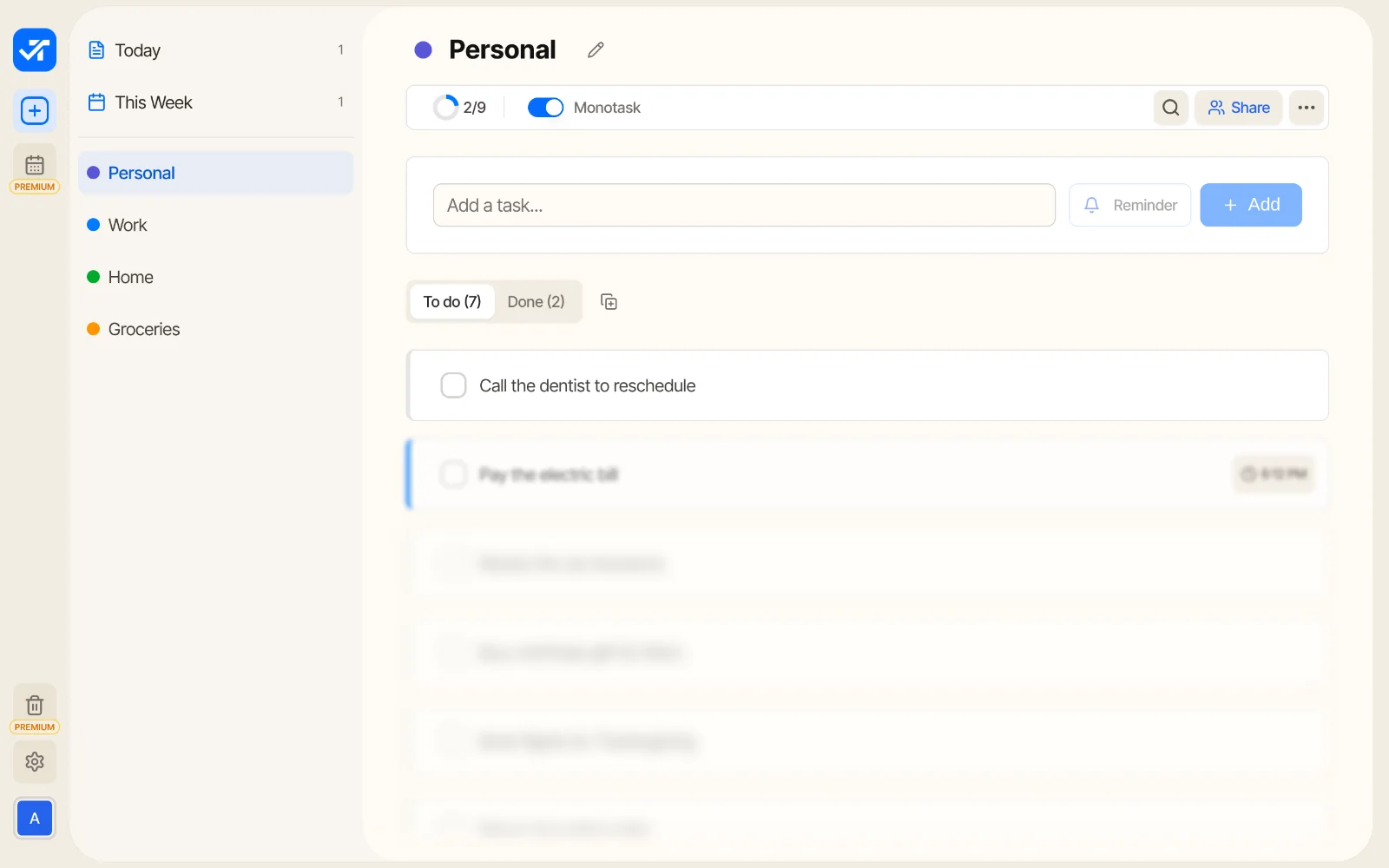
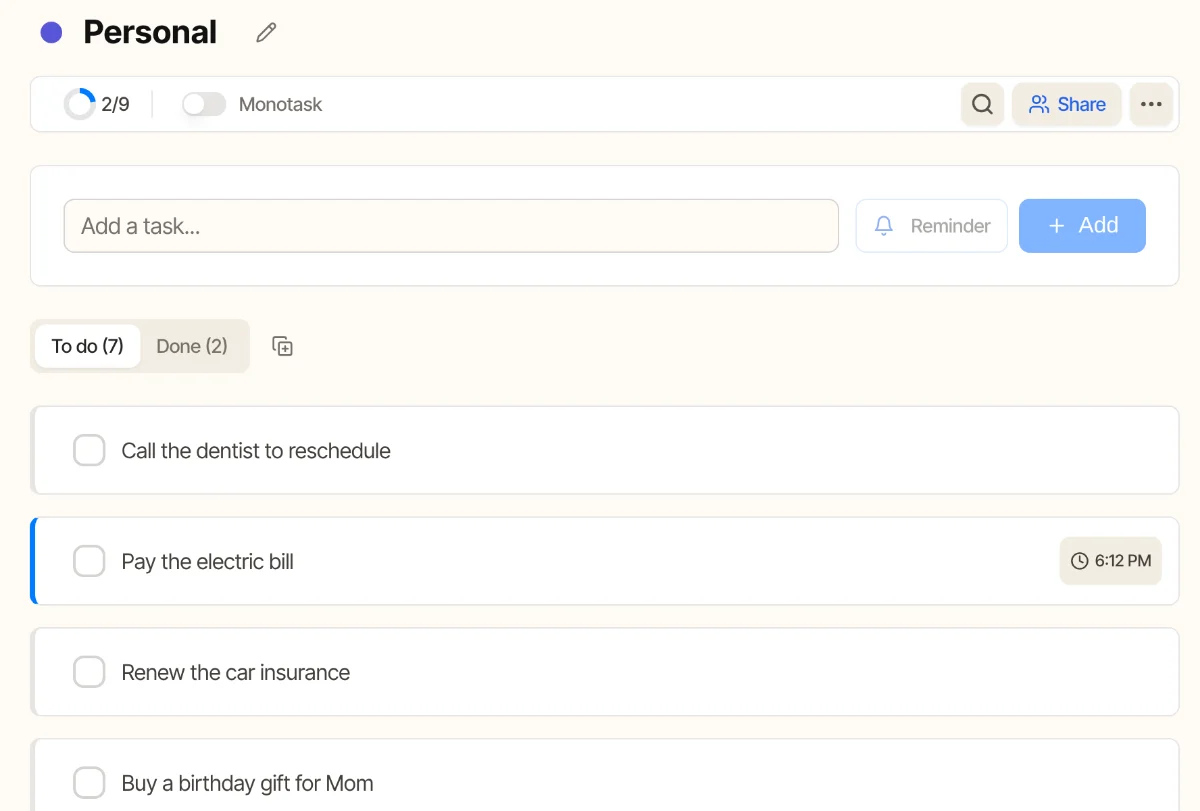
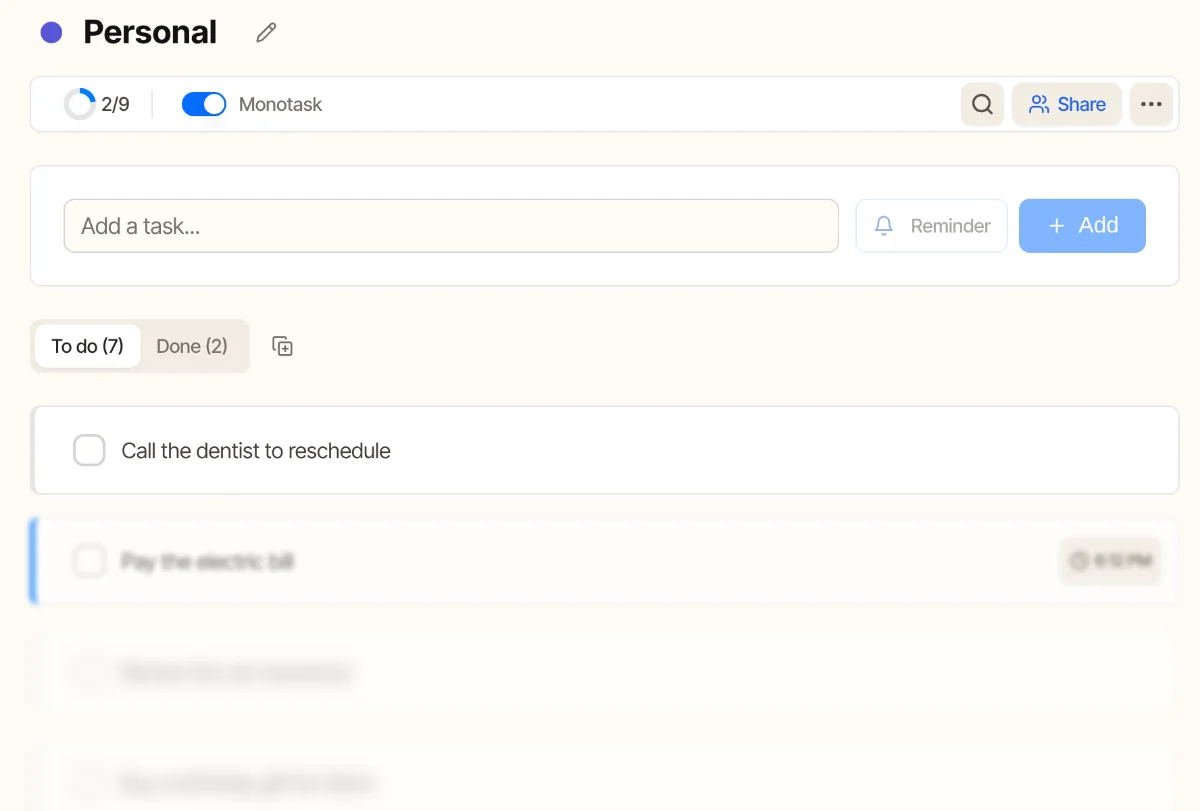
Todonex has a mode made exactly for this. When it's on, the first task in your list stays sharp, the second fades a little and the rest is blurred. You see what to do now, and nothing else competes for your attention.
On the computer
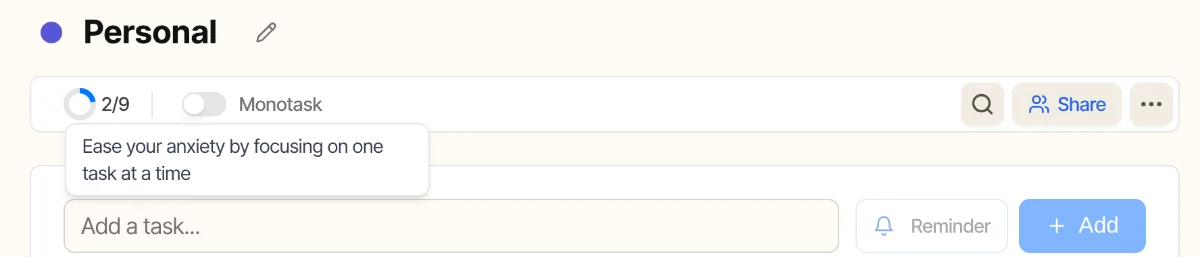
Open a list and turn on the Monotask switch at the top, next to the progress ring. That's all.
On the phone
Open the list, tap the ⋯ button and turn on Monotask. When you check off the first task, the next one comes into focus on its own.
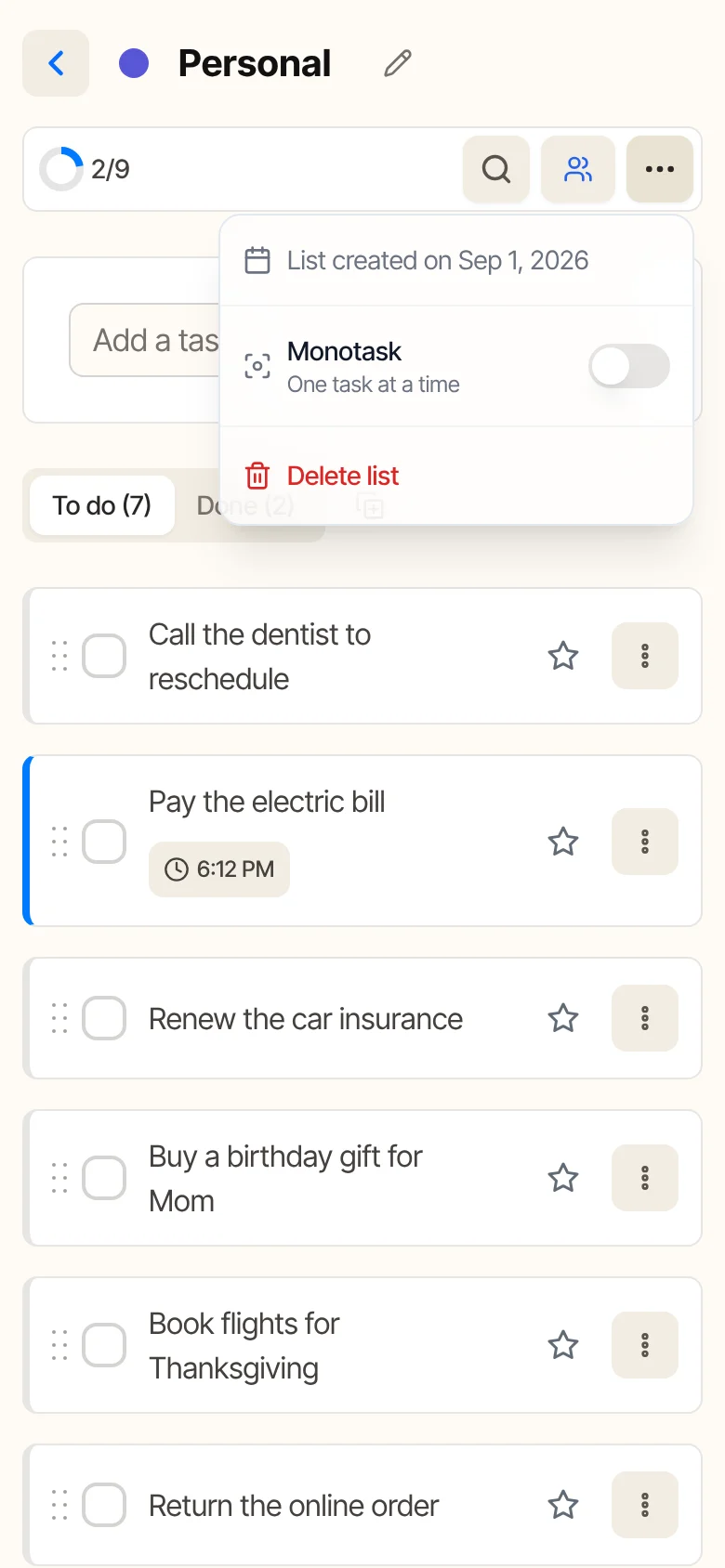
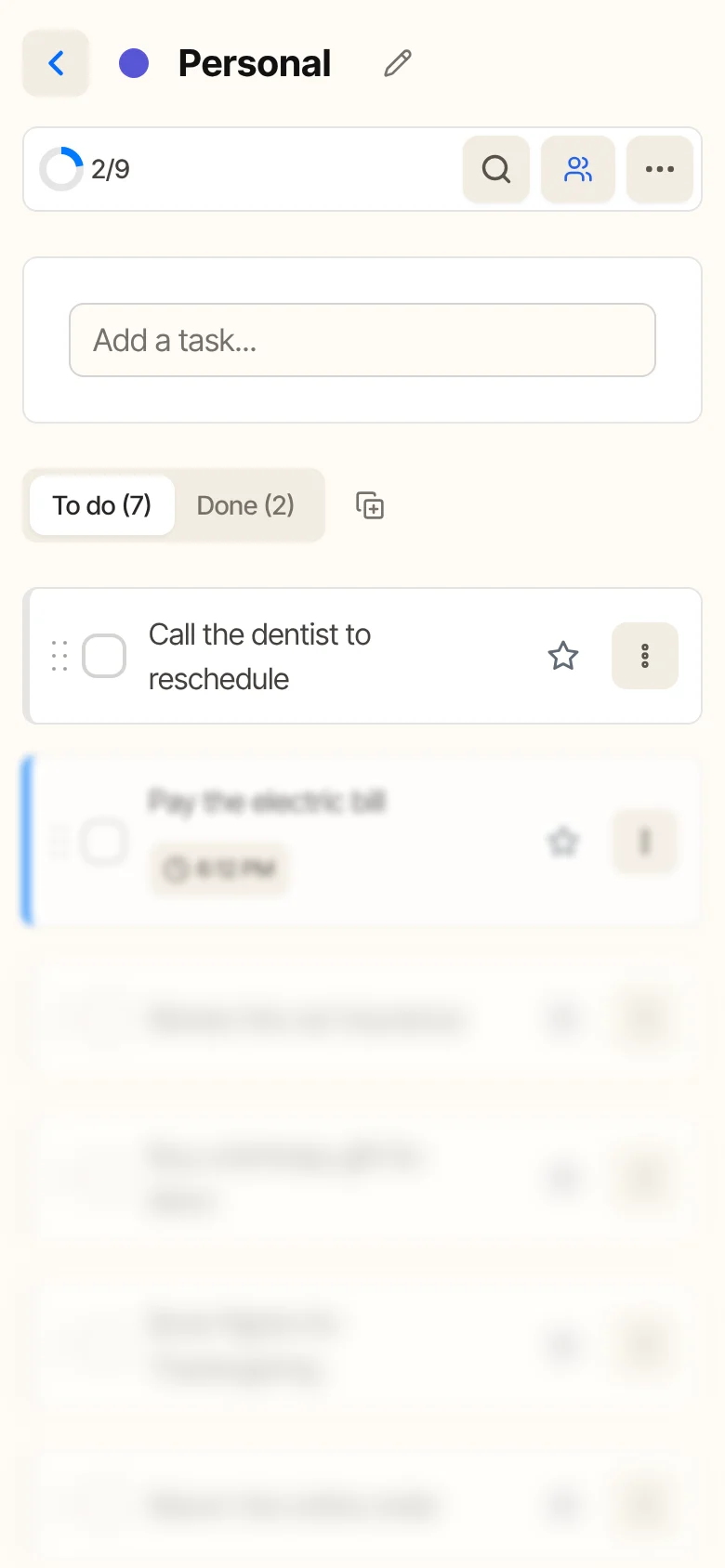
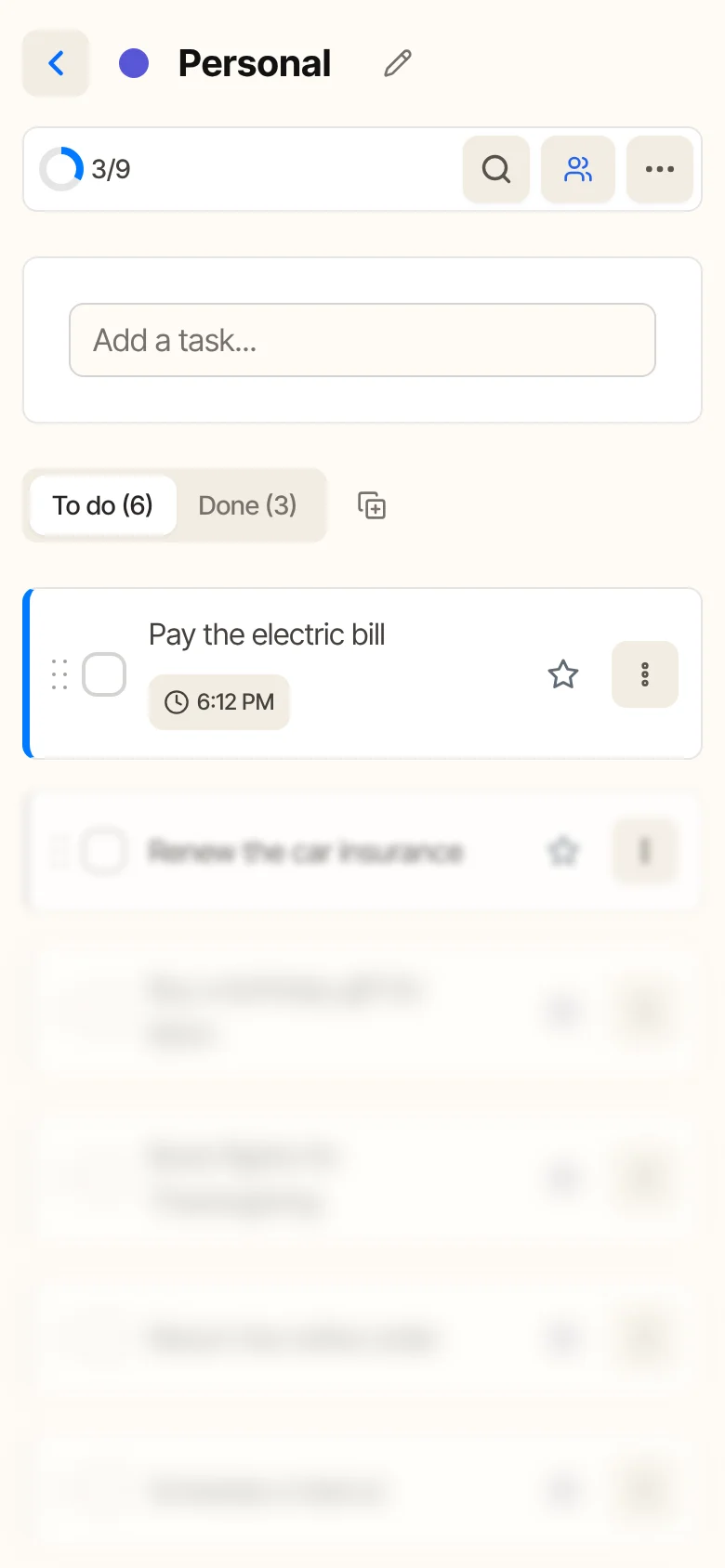
- Monotask is set per list, so you can use it on your work list and leave the grocery list as it is.
- On your lists, the setting syncs in real time: turn it on at your computer and your phone already has it on.
- It also works in the Today and This Week views.
- Monotask Mode is part of the free plan.
Tips to make it a habit
- Break big tasks into next steps. “Plan the trip” is hard to start. “Compare three flight prices” isn't.
- Group the small stuff. Reply to messages and pay bills in one block instead of scattering them through the day.
- Use reminders for things with a time. A reminder brings the task back when it matters, so you don't have to keep it in your head until then.
- Be kind to yourself. You'll get pulled away. When you notice it, write the distraction down and go back to the one task in front of you.
Frequently asked questions
Is monotasking really more productive than multitasking?
For tasks that take thought, yes. Every switch costs time and leaves part of your attention on the previous task, so doing one thing at a time usually gets more done, with fewer mistakes. Simple, automatic activities, like listening to music while you walk, are different: they barely compete for attention.
How long should I stay on one task?
Until it's done, or until a time you set in advance. Many people like blocks of 25 to 50 minutes with a short break in between. What matters is deciding beforehand, so you don't switch on impulse.
Is Monotask Mode free?
Yes. Monotask Mode is part of the free Todonex plan, on the computer and on the phone.
Sources
- American Psychological Association (2006). Multitasking: Switching costs. Includes Rubinstein, Meyer and Evans (2001), Journal of Experimental Psychology: Human Perception and Performance, 27, 763-797.
- Leroy, S. (2009). Why is it so hard to do my work? The challenge of attention residue when switching between work tasks. Organizational Behavior and Human Decision Processes, 109, 168-181. Author's page.
- University of California, Irvine (2023). Your attention span is shrinking, studies say (Gloria Mark, interviewed by CNN).
- Masicampo, E. J., and Baumeister, R. F. (2011). Consider it done! Plan making can eliminate the cognitive effects of unfulfilled goals. Journal of Personality and Social Psychology, 101, 667-683.
- Ghibellini, R., and Meier, B. (2025). Interruption, recall and resumption: a meta-analysis of the Zeigarnik and Ovsiankina effects. Humanities and Social Sciences Communications, 12.
Your next task is waiting.
Create your free Todonex account, write down what's on your mind and get it done, one task at a time. No credit card.
Start free